🔧 Crafting & Making
Best Cricut Machines UK 2026 - 7 Compared
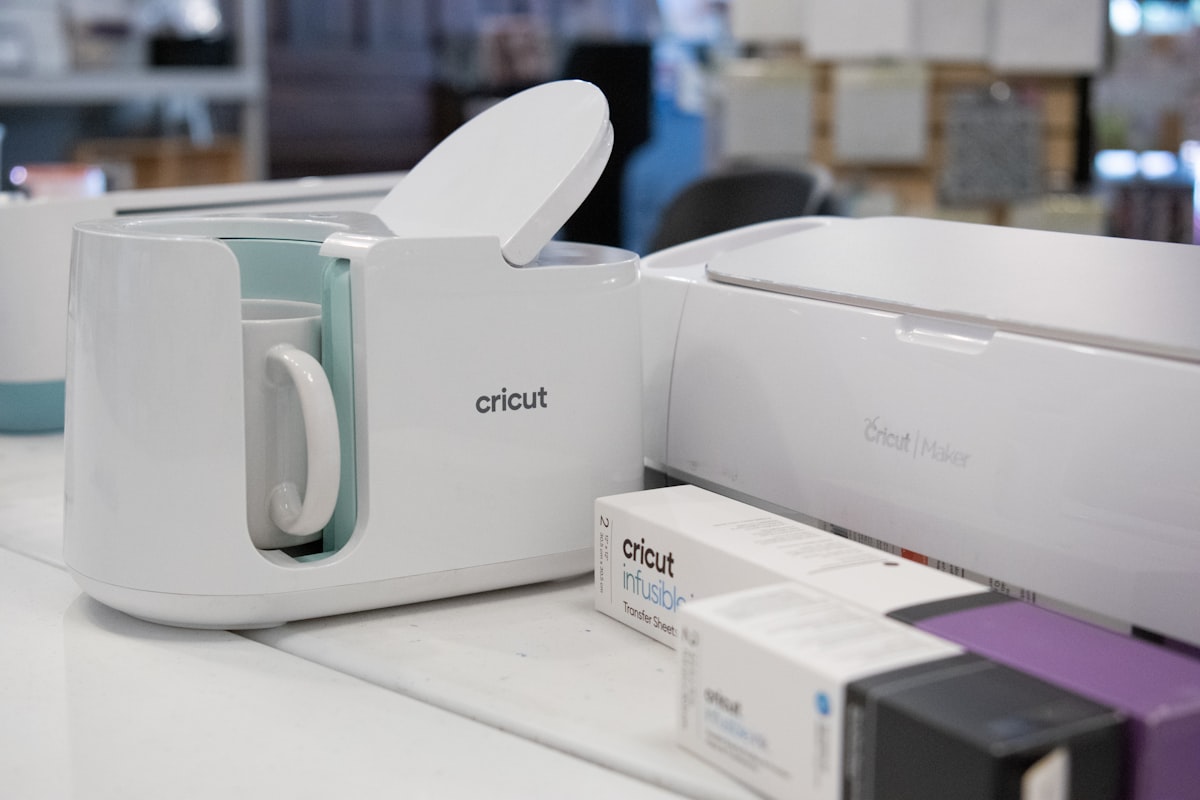
A cutting machine turns a laptop design into vinyl decals, birthday cards, t-shirt iron-ons, stickers and custom labels in minutes. We compared the full Cricut range available in the UK - the compact Joy, the mid-size Explore, the pro-grade Maker - plus the two best Silhouette alternatives, and picked the ones worth your money in 2026.
Key Takeaways
- Best overall: Cricut Maker 3 Starter Bundle - cuts 300+ materials including wood and leather at a sensible price
- Best for beginners: Cricut Joy Xtra - compact, prints full-colour stickers, no mat needed with Smart Materials
- Best budget: Cricut Joy (2025) - the cheapest way into the hobby at around £129
- Best upgrade: Cricut Maker 4 - the newest flagship, fastest in the range
- Best no-subscription alternative: Silhouette Portrait 4 - free Studio software and an auto-adjusting blade
Suggested reading: How to Start Sewing UK • How to Start Candle Making • How to Start Leatherworking
Quick Picks
🏆 Best Overall
✨ Best for Beginners
💷 Best Budget
⚡ Best Upgrade
🆓 Best No-Subscription
✂️ Best for Vinyl Decals
🏭 Best Pro Alternative
Quick Comparison
| Product | Price | Cut Width | Materials | No-Mat | Best For |
|---|---|---|---|---|---|
| Cricut Joy (2025) | £150 | 11.4cm | 50+ | ✔ | Budget entry |
| Cricut Joy Xtra | £170.03 | 14cm | 50+ | ✔ | Beginners + stickers |
| Cricut Maker 3 Bundle | £219.10 | 30.5cm | 300+ | ✔ | Overall best |
| Cricut Explore 5 Deluxe | £290 | 30.5cm | 100+ | ✔ | Vinyl decals |
| Cricut Maker 4 | £329 | 30.5cm | 300+ | ✔ | Pro upgrade |
| Silhouette Portrait 4 | £208 | 22.9cm | 30+ | ✖ | No-subscription craft |
| Silhouette Cameo 4 Bundle | £464.65 | 30.5cm | 60+ | ✖ | Pro alternative |
In-Depth Reviews
We compared each machine on the jobs UK crafters actually do - vinyl decals, cardmaking, iron-on t-shirts, stickers and papercraft - and scored them on cut accuracy, speed, software ease, material range and value. Here is what we found.
1. Cricut Maker 3 Starter Bundle
30.5cm cut width | 300+ materials | Cricut-rated 2x faster than the Maker | Cuts wood, leather, fabric | Smart Materials to 3.6m
Around £219.10 on Amazon UK
The Maker 3 is the machine we recommend to most people because it does everything. The 4kg of cutting force plus the Adaptive Tool System means it cuts balsa wood, basswood, leather, craft foam and magnetic sheet, not just paper and vinyl. That opens up model making and small sign projects the cheaper machines simply cannot touch.
Smart Materials feed through without a mat, so you can cut a single vinyl decal up to 3.6 metres long for a car or shop window. It is Cricut-rated at up to twice the speed of the older Maker, which matters when you are cutting a full sheet of intricate card designs.
Owner feedback describes the same pattern again and again: it handles basswood for a model railway and iron-on vinyl for kids' PE kits on the same afternoon, and few machines at this price do both.
✓ Pros
- Cuts 300+ materials including wood and leather
- No mat needed for long Smart Materials
- Fast, accurate cutting
- Starter bundle adds tools and materials
✗ Cons
- Overkill if you only cut paper and vinyl
- Accessories add up quickly
- Advanced features sit behind Cricut Access
2. Cricut Joy Xtra
14cm cut width | 50+ materials | Full-colour Print Then Cut | Smart Materials no mat | Bluetooth
Around £170.03 on Amazon UK
The Joy Xtra is the sweet spot for beginners. It is small enough to store in a drawer, sets up in minutes over Bluetooth, and cuts 5.5 inches wide which covers cards, labels, decals and small iron-ons. Because it takes Smart Materials, you can feed vinyl straight in with no mat and no weeding frustration for simple shapes.
The headline feature is full-colour Print Then Cut. You print a sticker sheet on your home inkjet, pop it in the machine, and it cuts around each design automatically. That is the feature most budget machines skip, and it makes the Joy Xtra genuinely useful for planners, journals and small-batch sticker sellers.
Buyers stepping up from cheap unbranded cutters describe the same relief: the Joy Xtra simply works, and a full set of school name labels is an evening's work.
✓ Pros
- Full-colour Print Then Cut stickers
- No mat needed with Smart Materials
- Compact enough to store anywhere
- Easy Bluetooth setup
✗ Cons
- 14cm width limits bigger projects
- Cannot cut wood or thick materials
- Pen and tool set sold separately
3. Cricut Joy (2025)
11.4cm cut width | 50+ materials | Writes and draws with pens | Smart Materials no mat | 0.91kg
Around £150 on Amazon UK
The Cricut Joy is the machine to buy when you are not sure the hobby will stick. At around £150 it is the cheapest genuine Cricut, it weighs just over two pounds, and it does cards, decals, labels and simple iron-ons without fuss. The 4.5-inch cut width is small, but that covers the vast majority of beginner projects.
The Joy doubles as a writing machine. Swap the blade for a pen and it will address envelopes, write on tags, and draw designs onto card in handwriting styles. That single feature keeps it useful long after the novelty of cutting wears off.
The most common story in the review history is wedding stationery: menus, place cards and favour tags all cut and written by the same small machine, often paying for itself in a single weekend.
✓ Pros
- Cheapest way into the Cricut ecosystem
- Writes and draws as well as cuts
- Ultra-compact and portable
- No mat needed for Smart Materials
✗ Cons
- 4.5-inch width limits bigger decals
- No full-colour Print Then Cut
- Cannot cut wood or thick materials
4. Cricut Explore 5 Deluxe Bundle
30.5cm cut width | 100+ materials | Smart Materials no mat | Full-colour Print Then Cut | Deluxe bundle extras
Around £290 on Amazon UK
If your projects are mostly vinyl - decals, car stickers, wall art, iron-on t-shirts - the Explore 5 is the right tool and the Deluxe bundle makes it a genuine bargain. It cuts the full 12-inch width like the Maker, handles 100+ materials, and feeds Smart Vinyl without a mat for long continuous cuts.
The Explore line has always been the sweet spot for vinyl work because it balances speed, accuracy and price. The 5th generation adds full-colour Print Then Cut, so you can make stickers and labels the Joy Xtra produces, but on a bigger canvas.
Small decal businesses run from a spare room report clean registration lines every time, and owners moving up from an Explore 3 notice the speed difference most on big sheets.
✓ Pros
- Full 30.5cm width for big decals
- Smart Materials cut without a mat
- Full-colour Print Then Cut included
- Deluxe bundle saves money on extras
✗ Cons
- No wood, leather or thick material cutting
- Costs more than the Maker 3 bundle
- No engraving or foiling tool support
5. Cricut Maker 4
30.5cm cut width | 300+ materials | Fastest in range | Cuts wood, leather, acrylic | Smart Materials to 3.6m
Around £329 on Amazon UK
The Maker 4 is the newest flagship and the fastest machine Cricut has made. It keeps everything the Maker 3 does - 300+ materials, wood and leather cutting, the 4kg cutting force - and adds faster processing and a refined feed system that makes long Smart Material cuts feel effortless.
Where it earns the upgrade money is volume. If you sell crafts, cut for a small business, or make batches of gifts, the speed difference across a year is real. For a hobbyist who cuts a few projects a month, the Maker 3 does the same job for £60 less.
'I upgraded from a Maker 3 and honestly the cut quality is identical,' an Amazon reviewer wrote. 'I bought it for speed and I don't regret it, but it is a speed upgrade, not a capability one.'
✓ Pros
- Fastest cutting machine in the range
- Cuts 300+ materials including wood
- Long Smart Material cuts up to 3.6m
- Future-proofed for years of projects
✗ Cons
- Most expensive Cricut on this list
- Speed gain only matters at volume
- Same capabilities as the cheaper Maker 3
6. Silhouette Portrait 4
22.9cm cut width | 30+ materials | Free Studio software | Auto-adjusting blade | PixScan mat
Around £208 on Amazon UK
The Portrait 4 is Silhouette's answer to the Cricut Joy Xtra, and for many crafters it is the better deal. The free Silhouette Studio software supports SVG, PNG, and DXF files out of the box with no subscription and no paywall on core features. That alone saves money over a year of Cricut Access.
The auto-adjusting blade is a genuine improvement over Cricut's manual blade housing. It sets the correct depth and force for the material automatically, which removes the fiddly test cuts beginners dread. The PixScan mat lets you scan a printed design and cut around it with real precision.
Switchers from Cricut give one reason above all others: no ongoing charge for images. Studio covers what they need, and the auto blade takes the guesswork out of settings.
✓ Pros
- Free Studio software, no subscription
- Auto-adjusting blade removes guesswork
- Open SVG and PNG support
- Compact and quiet
✗ Cons
- Smaller community than Cricut
- 30+ materials, no wood cutting
- Software learning curve is steeper
7. Silhouette Cameo 4 Black Bundle
30.5cm cut width | 60+ materials | Dual carriage | Free Studio software | Bundle includes vinyl, HTV, 24 pens
Around £464.65 on Amazon UK (bundle)
The Cameo 4 is the pro-grade Silhouette, and this bundle is the complete package: the machine, two AutoBlade 2 blades, a vinyl starter kit, a heat transfer starter kit and 24 pens. It is the most expensive item on our list, but the bundle contents cover your first few months of materials.
Its signature feature is the dual carriage, which lets you cut and draw in a single pass, or score and cut, without swapping tools. Combined with free Studio software and the auto blade, it is the machine many small craft businesses choose over Cricut because there is no recurring subscription cost.
Vinyl decal businesses report thousands of cuts without a single issue, and the bundled HTV and vinyl kits are frequently what lets them start selling in week one.
✓ Pros
- Dual carriage cuts and draws in one pass
- Free software, no subscription
- Bundle includes blades, vinyl, HTV and pens
- Workhorse reliability for small businesses
✗ Cons
- Most expensive machine in this guide
- No mat-free Smart Material option
- Steeper learning curve than Cricut
How to Choose the Best Cutting Machine for Your Projects
Cut width: match it to your biggest project
The Joy cuts 11.4cm, the Joy Xtra 14cm, and the full-size machines 30.5cm. If you mainly make cards, labels and small decals, a compact machine is plenty. If you want A4 sheets, t-shirts, or long vinyl decals, go full-size. The 30.5cm width also handles 12-inch rolls of vinyl without cutting them down.
Material range: paper only, or wood and leather too
All Cricut machines cut paper, vinyl, cardstock and iron-on. The Explore line adds more depth and speed. Only the Maker 3 and Maker 4 cut wood, leather, craft foam and acrylic, thanks to 4kg of cutting force. If you think you will ever move beyond papercraft, buy the Maker once instead of upgrading later.
Software and subscriptions: the hidden cost
Cricut Design Space is free and lets you upload your own SVGs and PNGs, but the premium image library and fonts sit behind the Cricut Access subscription. Silhouette Studio is free with no subscription at all and opens SVG and PNG files directly. If you plan to use mostly your own designs, Silhouette is the cheaper long-term choice.
Smart Materials: do you want to skip the mat?
Smart Vinyl and Smart Iron-On feed through Cricut machines without a cutting mat, which means no sticky mats to clean and longer continuous cuts. It is a convenience feature, not a dealbreaker - traditional mats still work on every machine and cost less per project.
Frequently Asked Questions
Final Verdict
For most UK crafters, the Cricut Maker 3 Starter Bundle is the machine to buy. It cuts everything from paper to balsa wood, works without a mat, and the bundle saves you buying tools separately. If you are new and unsure, start with the Cricut Joy Xtra and grow into the hobby.
Vinyl decal fans get the best value from the Explore 5 Deluxe Bundle, and crafters who refuse to pay a subscription should look hard at the Silhouette Portrait 4 or the Cameo 4 bundle.
Whichever you pick, buy the machine that matches your biggest project, not your most ambitious one. Every model on this list cuts vinyl and paper well - the differences only show when you push materials.

Sarah Mitchell
Writer
Sarah writes about crafting, DIY and home projects. She has been crafting for over 8 years.
Last reviewed: August 2, 2026 · Evidence-based review · Contains affiliate links